Your DSO Website Can't Scale Past 30 Locations Without Breaking
If you're a dental operations director watching your CMS choke on multi-location scheduling and compliance, you've hit the ceiling WordPress was never built to handle.
DSO groups scaling past 30 locations routinely break WordPress-based stacks: scheduling widgets conflict, per-location content becomes unmanageable, and HIPAA exposure multiplies with every new practice added. We build headless Next.js or Astro platforms architected for 10 to 500 locations from day one, with NexHealth integration, role-scoped CMS access per location, and compliance controls baked into the infrastructure rather than patched on afterward.
Your practice manager in Phoenix logs in to update office hours. The form hangs. She refreshes, submits again -- now the hours are wrong and the booking widget disappeared. That's not a bug. That's your WordPress Multisite database choking under 50 location pages, 200 plugins, and a booking form that's accidentally storing patient names in your marketing CRM. A DSO website platform is the architecture running your corporate pages, every practice location, patient booking, intake forms, and the admin layer syncing it all. It sits upstream of Dentrix Ascend and NexHealth, downstream of your paid campaigns. The challenge isn't complexity -- it's two opposing goals. You need HIPAA-safe patient booking that never touches PHI at the website layer. And you need 200 practice managers editing their own pages without one accidentally breaking your brand nav. Most platforms architect one correctly and ignore the other. Your compliance officer notices first. Then your patients do.
What is holding your current website back?
Common gaps we find in nearly every audit.
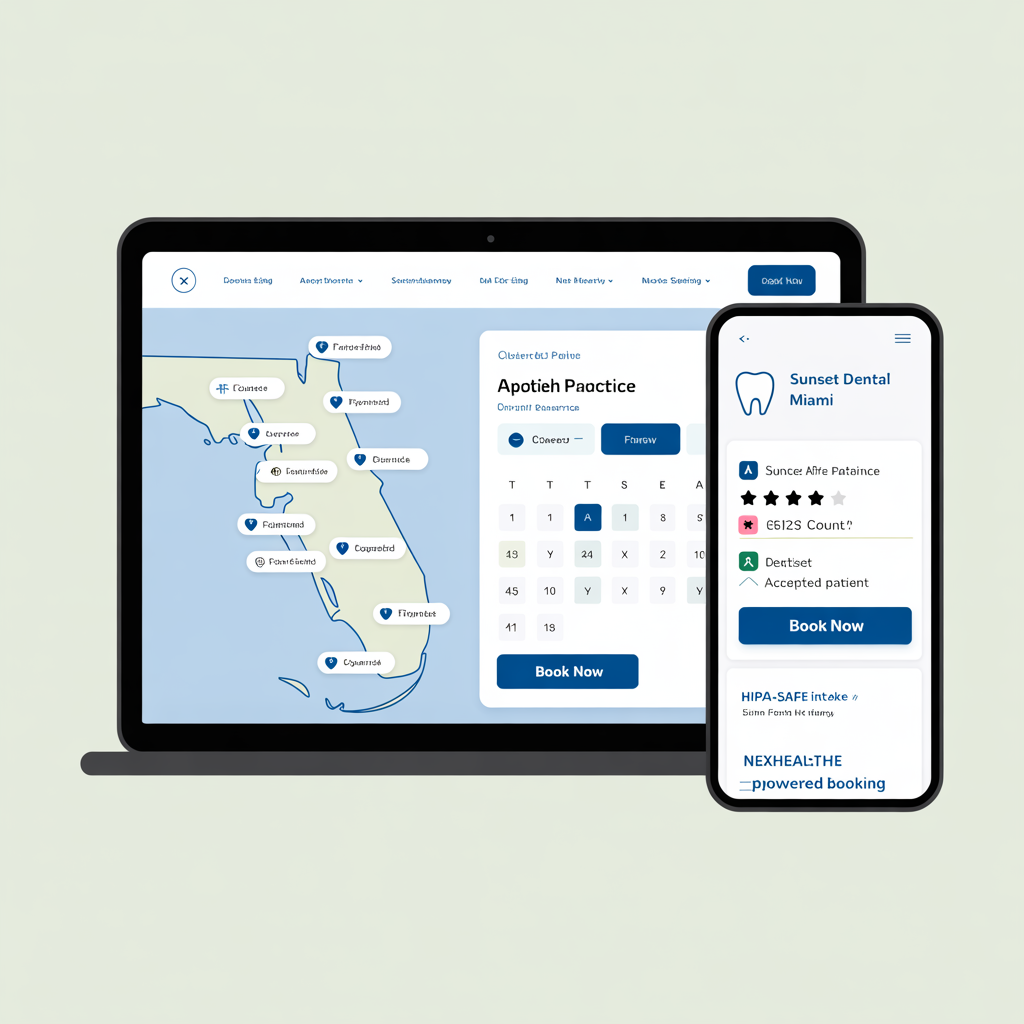
What Your Website Could Look Like
Custom-designed for your industry. No templates. No stock photos.
How We Build This Right
Every safeguard, built in from Day 1.
PHI-Out-of-Scope Architecture
Here's the thing about HIPAA on the website layer: the website never stores PHI. Full stop. Patient forms submit directly to NexHealth or a signed-BAA endpoint -- they don't touch our infrastructure at all. Your marketing site stays a marketing site. Not a compliance liability, not an audit target. Just a fast, clean marketing site.
Edge-Rendered Practice Pages
Every practice page renders from Vercel's edge network -- we're talking sub-100ms TTFB whether a patient is booking from Tampa or Toronto. Core Web Vitals pass by default, not by optimization heroics after the fact. And local pack rankings reward that speed consistently. Google's been pretty clear about this for years now.
Role-Based Practice Editing
Practice managers edit only their own location page through a scoped admin UI -- they literally can't see or touch anyone else's content. Corporate controls brand, navigation, and global messaging. Every change is audit-logged, and Supabase RLS enforces the permission boundary at the database level. So it's not just a UI trick; the enforcement goes all the way down.
Automated Local SEO
Per-practice LocalBusiness and Dentist schema, GBP API review sync, NAP consistency enforced at build time, and per-city long-tail content -- your 200th practice gets the same SEO infrastructure as your first. That's not a small thing when you're expanding into new markets every quarter and you can't afford a slow ramp for new locations.
What We Build
Purpose-built features for your industry.
Isolate patient booking so PHI flows straight to NexHealth without touching your marketing database or dragging your site into HIPAA scope
Your booking widget stays fast and functional while patient data routes through NexHealth to your practice-management system -- never your marketing stack
Scope practice manager permissions so each location edits hours, staff photos, accepted insurances, and service lists -- without corporate tickets
Practice managers update their own location pages in under two minutes, so hours stay accurate and patients trust what they read before they drive over
Split CMS access into two tiers so corporate controls brand assets and global nav while practices manage their own pages in real time
Your corporate team pushes brand updates across all locations instantly while practices retain autonomy over local content that actually converts
Sync Google Business Profile reviews automatically into each location page with schema markup for local search rich results
Your 4.8-star Austin reviews appear in Austin local search results, not buried on a generic testimonials page nobody finds
Pre-verify insurance eligibility before booking so patients confirm coverage online and your front desk stops fielding confused calls
Patients see insurance eligibility before they book, so your no-show rate drops and your front desk stops playing phone tag over coverage questions
Scale your platform to 500 practices without database bloat, plugin conflicts, or the performance cliff that kills WordPress Multisite at practice 30
Your platform handles 200 practices today and 400 next year without performance degradation, dev agency rescue bills, or midnight plugin conflicts breaking patient forms
Built on a Modern, Secure Stack
Our Development Process
From discovery to launch. Quality at every step.
DSO Architecture Workshop
Week 1-2Weeks 1-2 are discovery. We map your current practice-management stack, clarify your compliance scope, identify every integration point -- NexHealth, GBP, insurance verifiers, call tracking -- and document your growth plan. You leave week 2 with a real architecture doc and a 3-year cost forecast. No surprises later.
Design System + Practice Template
Week 3-4Weeks 3-4: we build the shared design system, a production-ready practice page template, and the patient booking component. And we review all of it against real practice content -- actual team photos, real service lists, actual hours -- not placeholder mockups that hide how the design actually performs.
CMS + Practice Manager RBAC
Week 5-6Weeks 5-6 are the admin and permissions build: the editor UI for both corporate and practice managers, Supabase RLS policies locking down who can edit what, the audit log, and the optional approval workflow for sensitive edits. This is where the two-tier model gets wired up end-to-end.
Practice-Management Integration
Week 7-9Weeks 7-9: integrations. NexHealth or Dentrix Ascend booking, insurance verifier, GBP review sync, call tracking. Every single integration gets tested against every practice before migration starts. We don't do big-bang launches -- everything gets validated practice by practice.
Migration + SEO Preservation
Week 10-12Weeks 10-12 are migration and launch. Content export from WordPress Multisite or your existing platform, full URL mapping with 301 redirects, hreflang and schema validation in CI, and launch-day monitoring. We preserve every backlink. Your SEO equity doesn't get sacrificed for a clean slate.
Frequently Asked Questions
Explore related industries
200+ employee company? Complex multi-tenant, auction, or multi-location requirement? We have a dedicated enterprise capability track.
Get Your DSO Platform Plan
A 30-minute call with a senior architect. Free, no commitment.
Let's build
something together.
Whether it's a migration, a new build, or an SEO challenge — the Social Animal team would love to hear from you.